> For the complete documentation index, see [llms.txt](https://ztrust.gitbook.io/ztrust-documentation/llms.txt). Markdown versions of documentation pages are available by appending `.md` to page URLs; this page is available as [Markdown](https://ztrust.gitbook.io/ztrust-documentation/user-manual-ztrust-v4.1/4.-admin-manual/4.19-set-up-password-policies.md).
# 4.19 Set up Password Policies
**Introduction:**
The **Password Policy** in **ZTrust Admin Console** allows you to define rules for creating and managing secure passwords for all users in your organization. By setting up a password policy, you can ensure stronger security, meet compliance requirements, and reduce the chances of unauthorized access.
**Why Configure a Password Policy?**
Setting up a password policy helps you:
* **Improve Security** – Enforces strong passwords that are harder to guess.
* **Meet Compliance Needs** – Many organizations must follow strict password rotation and complexity rules.
* **Prevent Unauthorized Access** – Weak or reused passwords can be exploited; policies reduce this risk.
* **Automate Password Expiry** – Ensures users regularly update their passwords for better safety.
**Steps to Configure the Password Policy:**
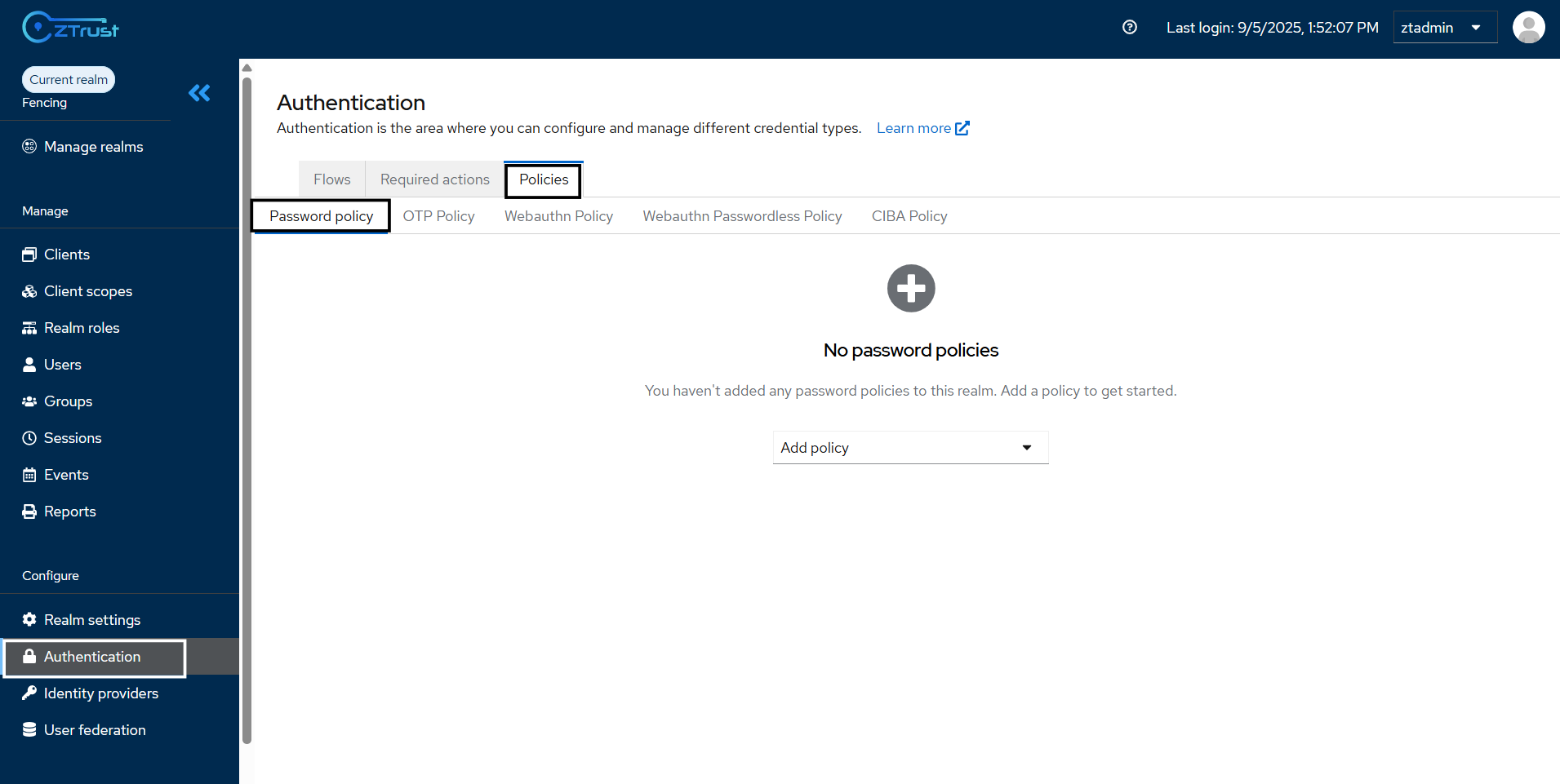
* Go to the Admin Console → Authentication section → Policies Tab →Password Policy
Fig. 4.18.a: Navigating to Authentication ⇒ Policies ⇒ Password Policy
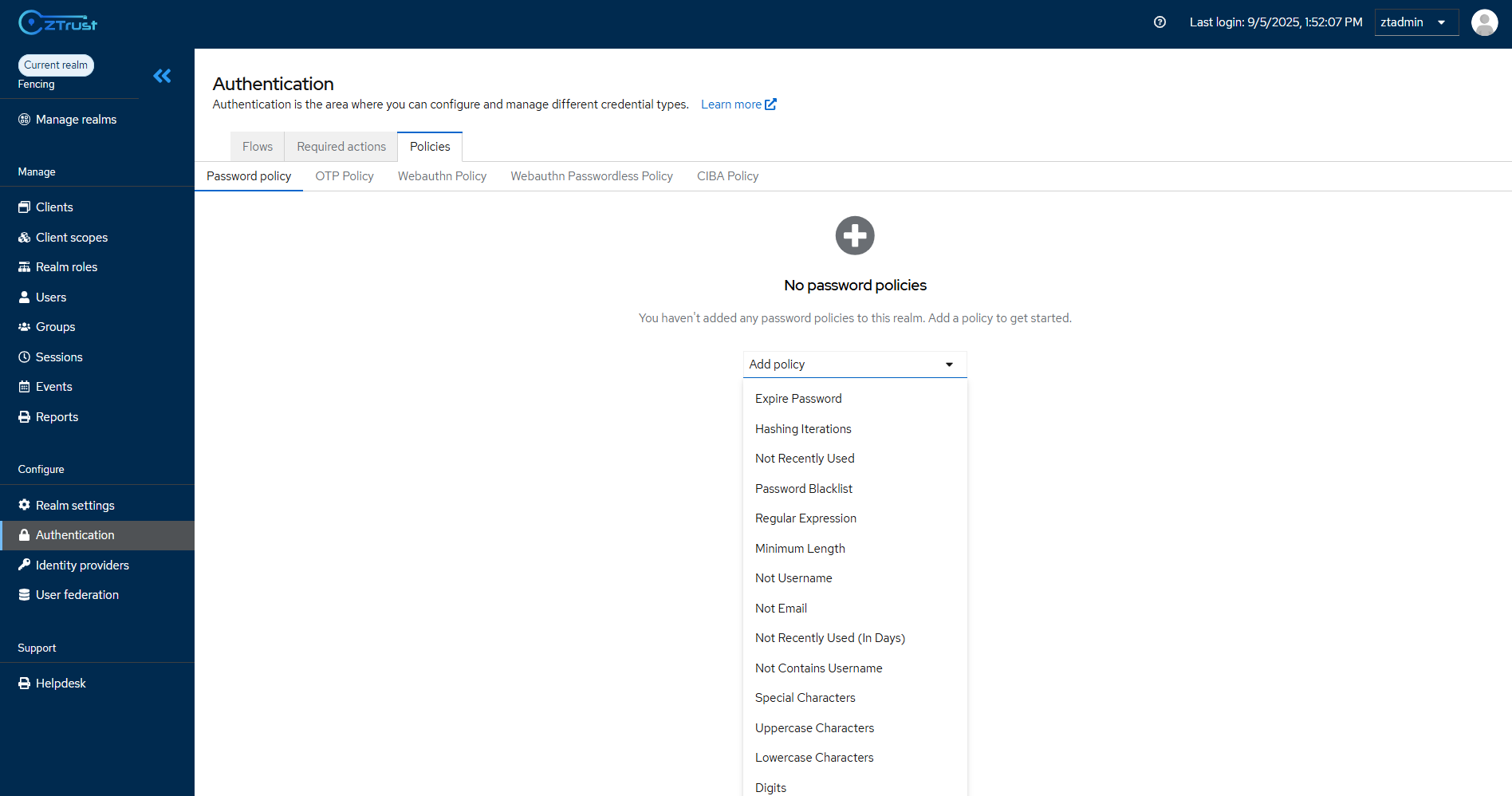
* Click on the **Add Policy** dropdown and select the required policy
* After adding all desired policies, click **Save**.
* The policies are now **active** and will apply to **all existing and new users**.
Fig. 4.18.b: Adding the password policies for the realm
**Example Password Policy setup:**
| **Policy** | **Value** | **Effect** |
| -------------------- | --------- | ----------------------------------------- |
| Expire Password | `90 days` | Passwords expire every 90 days. |
| Minimum Length | `8` | At least 8 characters required. |
| Maximum Length | 20 | At least 20 characters required. |
| Uppercase Characters | `1` | Must include at least 1 uppercase letter. |
| Lower characters | 1 | Must include at lease 1 lowercase letter |
| Digit | 1 | At least 1 Digit required |
| Special Characters | `1` | Must include at least 1 special symbol. |
| Not Recently Used | `3` | Cannot reuse last 3 passwords. |