> For the complete documentation index, see [llms.txt](https://ztrust.gitbook.io/ztrust-documentation/llms.txt). Markdown versions of documentation pages are available by appending `.md` to page URLs; this page is available as [Markdown](https://ztrust.gitbook.io/ztrust-documentation/user-manual-ztrust-v2.0/admin-manual/how-to-set-up-multi-factor-authentication/setup-of-recaptcha-login-flow.md).
# Setup of ReCAPTCHA login flow
To set up reCAPTCHA login flow, follow the below steps -
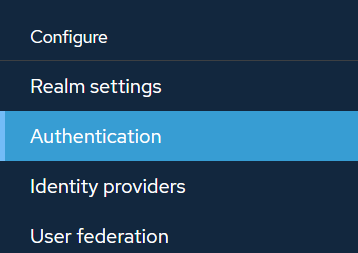
1. Go to Authentication.
2. Click on Duplicate to create a copy of the Browser.
3. Enter the name for the new flow - reCAPTCHA browser flow
4. Click on Duplicate.
5. Click on Add step.
6. Select - Login Recaptcha Form.
7. Click on Add.
8. Click on Settings for Login Recaptcha Form.
9. Now fill the required details.
Field Name
Mandatory (Yes/No)
Field Type
Description
Recaptcha Site Key
Yes
Text
Enter the reCAPTCHA site key as generated from Google Cloud Console
Recaptcha Secret
Yes
Text
Enter the reCAPTCHA secret key as generated from Google Cloud Console
10. Click on Save.
11. Make the Login Recaptcha Form as Required.
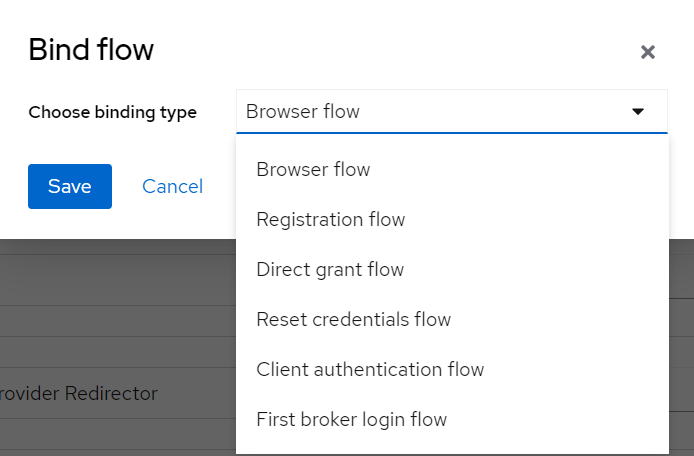
12. Click on Actions, and then Bind flow.
13. Click on the dropdown for Choose binding type and select the Browser flow.
14. Click on Save.
The ReCAPTCHA will now be enabled in the login page.